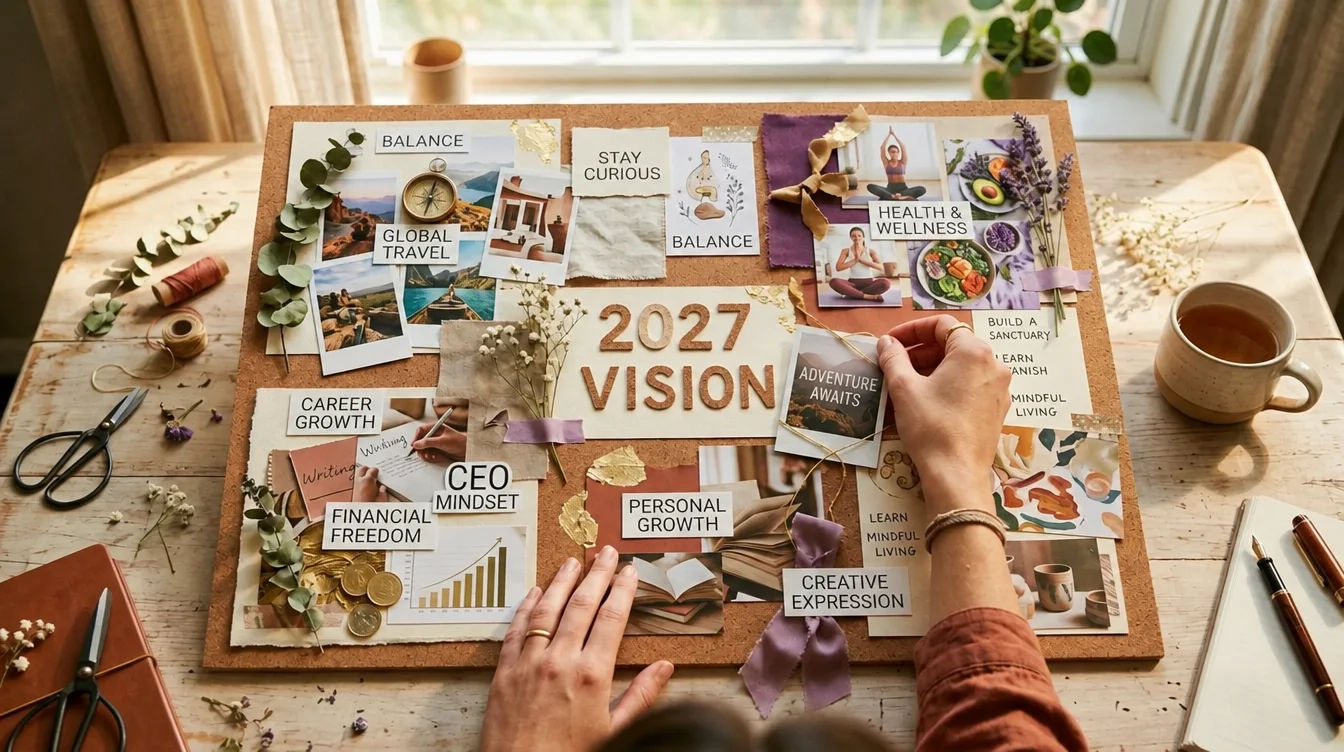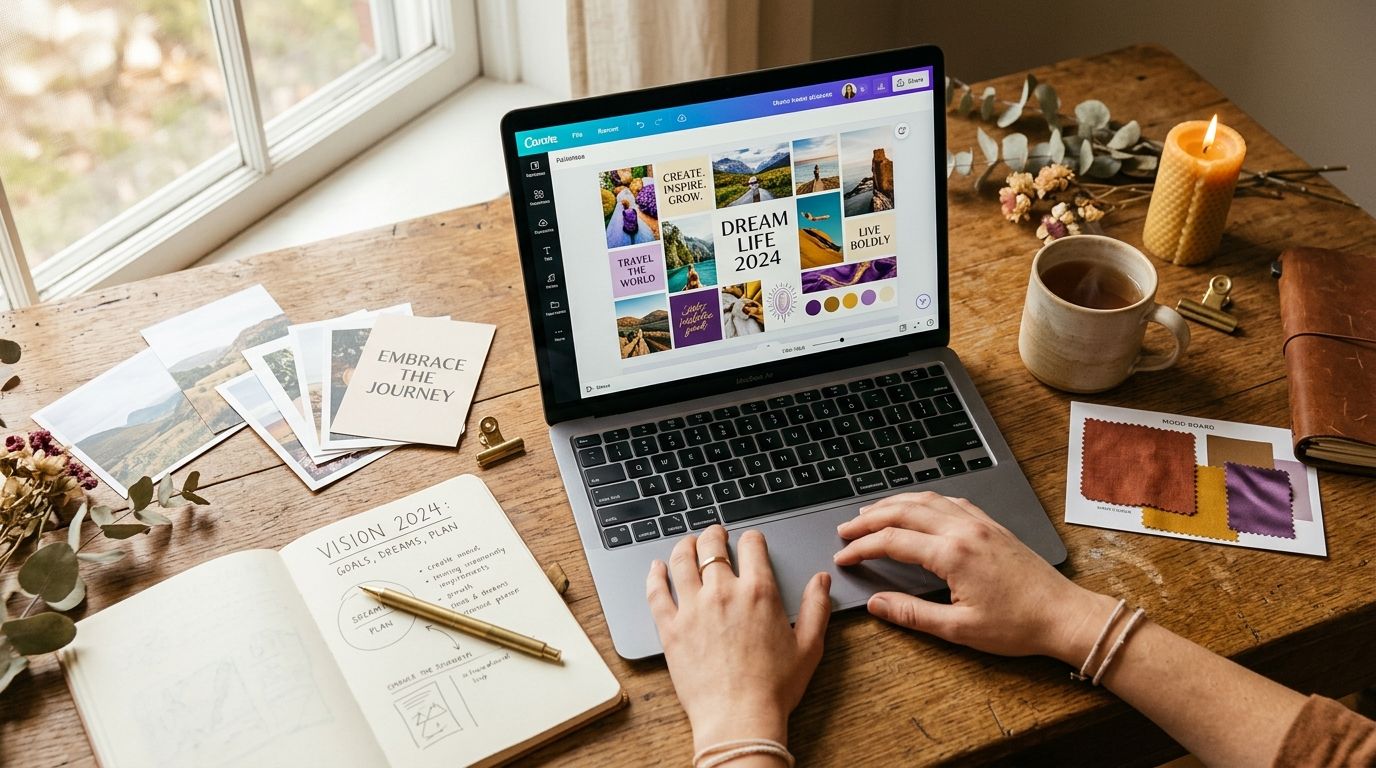

Digital Vision Board: 5 Ways to Make One

A digital vision board is a collage of goals you keep on a screen. Here are 5 ways to make one for 2027: Canva, Pinterest, your phone, photos of you, and apps.

Digital Vision Board: 5 Ways to Make One
In this guide 11 sections
  1. 01What is a digital vision board?
  2. 02Do digital vision boards actually work?
  3. 03How do you make a digital vision board in 5 steps before you pick a tool?
  4. 04Way 1: How do you make a vision board in Canva?
  5. 05Way 2: Can you make an online vision board on Pinterest?
  6. 06Way 3: How do you make a digital vision board on your phone?
  7. 07Way 4: How do you make a vision board with pictures of yourself?
  8. 08Way 5: Which vision board app or online maker should you use?
  9. 09Which method is best: Canva, Pinterest, phone or a board with photos of you?
  10. 10How do you use your vision board in 2027 so it isn't just decoration?
  11. 11Sources & Methodology

A digital vision board is a collage of pictures, words and goals that lives on a screen instead of a wall. You can build it in Canva, on Pinterest, on your phone, or with photos of yourself, then keep it where you look every day, such as your lock screen.

There are many ways to make one, and the right way depends on how you live. In this guide you will learn five methods, what the research says about vision boards, and one simple design rule that makes any board more useful. If you are planning your 2027, you have time to do this properly.

Key Takeaways
  • A digital vision board is a collage of your goals on a screen you already open every day.
  • Research on imagining the future says a board of happy endings is not enough. Add a first step and an obstacle for each goal.
  • Canva, Pinterest, your phone, photos of yourself and dedicated apps all work. Pick the one you will actually see daily.
  • Build yours between October and December 2026 so you enter January with a plan.
  • Keep it to three to six goals. A crowded board is easy to ignore.

What is a digital vision board?

A digital vision board is an online or on-screen version of a vision board: a collage of images, words and affirmations that shows the future you want. Wikipedia describes a dream board or vision board as a collage of pictures and affirmations of one's hopes, meant as a source of inspiration and motivation.

The digital part is the point. A paper board hangs in one room. A digital one can sit on your phone, your laptop and your tablet. You can also change it in a minute when a goal changes.

Two quick clarifications. First, this guide is about personal goals. In business, a "vision board" often means a team's product strategy, which is a different thing. Second, a board is a reminder tool. It does not make things happen by itself. If you want the basics first, read what a vision board is or browse the full 2027 vision board guide. If you would rather compare it with a different approach, see becoming board vs vision board.

Here are the five ways in this article:

  1. Canva. Best for a polished, designed look.
  2. Pinterest. Best for collecting ideas fast.
  3. Your phone. Best for seeing it every day.
  4. Pictures of yourself. Best for making it personal.
  5. A vision board app. Best if you want reminders and extras.

Do digital vision boards actually work?

No study has tested digital vision boards directly, so nobody can promise they work. What research does show is that imagining the future helps when you also picture the steps and the obstacles, and that dreaming only about the happy ending can backfire. The way you design the board matters more than the tool.

Here is what the evidence says, in plain terms.

Picturing the process beats picturing the prize. In a 1999 study of college freshmen, students spent five to seven days before a midterm imagining one of four things: the process of studying, the outcome of a good grade, both, or nothing. Imagining the process led to more studying and better grades. It also helped planning and lowered anxiety. It was a small classroom study, so treat it as a useful clue, not a rule.

Pure daydreaming can lower effort. A review by Oettingen and Schwörer (2013) says that fantasizing only about a wished-for future leads to poor problem solving and little change in behavior. The same review reports that in four studies, positive fantasies produced lower energy and effort than other kinds of thinking. Their fix is called mental contrasting (the basis of the WOOP method): picture the future you want, then picture what stands in the way.

Writing goals down helps, especially with a check-in. In a small 2015 study by psychologist Gail Matthews, presented at a conference and not peer-reviewed, people who wrote down their goals achieved more than people who did not. Those who also sent weekly progress updates to a friend did best: 76% reached or got more than halfway to their goals, versus 43% of those who did not write them down.

One myth to skip: the famous claim that "3% of Yale graduates with written goals earned ten times more." Matthews says no such study was ever done. Wikipedia also notes that some see vision boards as counterproductive, because constant fantasizing can lead to less action, and that an "action board" is often suggested as a better companion. For more on this, see do vision boards work?.

The design rule that comes out of all this: every image on your board gets a first step and an obstacle plan. The next section shows how.

How do you make a digital vision board in 5 steps before you pick a tool?

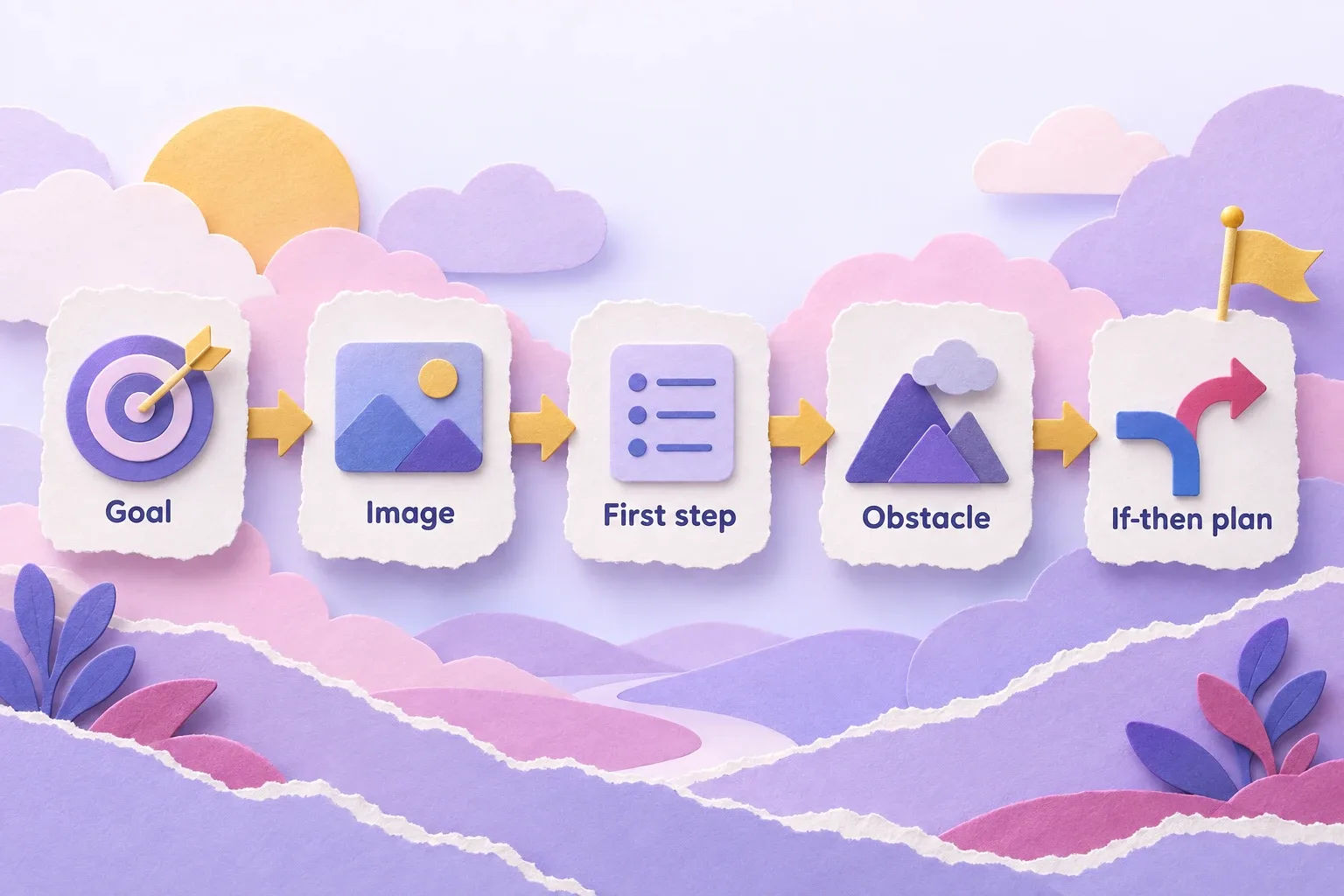
Choose three to six life areas, write one specific 2027 goal for each, add a first step and one obstacle with an "if-then" plan, pick an image and a few words per goal, and decide where you will see the board daily. Do this on paper or in Notes first. The tool comes last. If you want a ready-made layout to fill in, try our free vision board templates for 2027.

Digital vision board method: goal, image, first step, obstacle and if-then plan shown as paper cards

1. Pick three to six areas of life

Career, money, health, home, relationships, travel, learning, rest. You do not need all of them. A board with twelve goals turns into wallpaper you stop noticing.

2. Write one specific outcome for each

Make it something you could check on 31 December 2027. "Get fit" is vague. "Run a 10K in under 65 minutes by October" is clear.

3. Add a first step and an obstacle

This is the part most boards skip. For each goal, write:

  • First step: the smallest action you can do this week.
  • Obstacle: the thing most likely to get in your way.
  • If-then plan: "If I am tired after work, then I will do a ten-minute walk instead of skipping." This kind of implementation intention links a situation to a planned action.

Here is how it looks for three real-life goals.

Goal Outcome image Process image If-then plan
Run a 10K by October Finish line with your arms up Shoes by the door at 6 a.m. If it rains, then I run on the treadmill for 20 minutes
Save $3,000 A number on a savings screen A weekly transfer set up If I want to spend, then I wait 48 hours first
Write a first chapter A neat stack of pages A desk with a timer If I miss a day, then I write 100 words the next

4. Choose images and a few words

Use one strong image per goal and a short line of text. Where you can, choose the process image, not just the prize. A desk with a notebook says more than a bestseller cover.

5. Decide where you will see it

A board you never open is a file. Choose the place first: lock screen, home screen, a widget, or a pinned tab. Then pick the method below that fits.

Way 1: How do you make a vision board in Canva?

Open Canva, search "vision board" or "mood board," pick a template, and resize it to your screen. For a phone wallpaper, use 1080 by 1920 pixels. Replace the sample photos with your own, add short text, and download it as a PNG. Canva's free plan is enough for this.

Step by step:

  1. Create a design and choose a custom size of 1080 × 1920 for a phone, or 1920 × 1080 for a laptop or tablet.
  2. Search "vision board" in templates, or start blank and use a grid of 3 to 6 boxes.
  3. Drop in photos. Upload your own or use Canva's library.
  4. Add a short line to each box, such as "Run 10K, October."
  5. Download as PNG and save it to your Photos.

What does it cost? On Canva's official pricing page, read on 29 September 2026, the Free plan is US$0 and includes 1.6 million or more templates and 5GB of storage. Pro was listed at US$144 per year, with more templates and 100GB of storage. Prices exclude tax and can change, so check the page before you pay. Canva also says schools (K-12) and non-profits can get most premium features free.

Watch out for: licensing. Stock photos and premium elements have usage terms, and they can be stricter if you plan to print or sell a board. For a personal board on your own phone, you are fine. For more, see our Canva vision board walkthrough.

Way 2: Can you make an online vision board on Pinterest?

Yes. Create a new board on Pinterest, name it "2027," and save pins that match your goals. You can make the board secret so only you see it. Pinterest is fast for finding ideas, but a pin collection is not a plan. Cap it at about a dozen pins.

Pinterest has one big strength. You can find 200 images in ten minutes. That is also its weakness. It is easy to fill a board and hard to finish one.

A better way to use it:

  • Make one board per year, not per mood. "2027" is clear.
  • Use sections for each life area, with two to three pins each.
  • Add a note to each pin with the goal and the first step.
  • Delete before you add. If you want to add a pin, remove one first.

Pinterest also works well as your source library. Save ideas there, then pull your favorite six into a single image you can use as a wallpaper. Menus and options change, so check Pinterest's help page on private boards for the current steps.

Way 3: How do you make a digital vision board on your phone?

Save six or so images to one album, arrange them into a collage using your Photos, Notes or Canva app, export it as a single picture, and set it as your lock screen wallpaper. On an iPhone, go to Settings, then Wallpaper (see Apple's guide to changing the wallpaper). On Android, steps vary by device, but the wallpaper option is in Settings.

Digital vision board on a phone: a red-haired woman arranging pictures on her phone on a cabin porch

Phone boards win on one thing: you see them. You check your phone dozens of times a day. A board you glance at that often does more than a beautiful one saved in a folder.

Make it readable

  • Leave a safe zone. The lock screen puts the clock at the top and buttons at the bottom. Keep your main images in the middle.
  • Use fewer images. Four to six is plenty at phone size.
  • Use large text. If you cannot read it in one second, make it bigger.
  • Skip private details. Do not put medical, money or relationship details on a wallpaper others may see. Use a symbol only you understand.

Other places to keep it

  • A Photos "Favorites" album you scroll through while waiting.
  • A widget on your home screen that shows one image at a time.
  • A pinned note with your goals and first steps.

Want the full wallpaper walkthrough? See how to make a vision board wallpaper.

Way 4: How do you make a vision board with pictures of yourself?

Add real photos of yourself doing or being part of what you want, such as a race-day photo, a cutout of yourself in a new setting, or a scene made for you. Seeing yourself in the picture makes the goal personal and helps you imagine your own actions, not a stranger's life.

Most digital boards use images of strangers on beaches. That can feel far away. A board with you in it feels closer.

What the research does and does not say. We found no study showing that photos of yourself improve vision board results. Think of it as a personal choice that may help you feel connected to a goal. It is not proof of anything.

Options, from simple to advanced:

  1. Use real photos. A time you felt strong, a place you love, a moment you were proud.
  2. Cut yourself out. Photo editors can remove the background so you can place yourself into a new scene.
  3. Make a scene. Some services build the picture for you from your selfie and your wish.

Manifest Mosaic does the third one. You write what you want from 2027, add one selfie, and get photos of yourself already living it. Your first picture is free, and the full board is $19, paid once, with no subscription. Every image is one of your own wishes, so the board stays specific. For more on this idea, read about how to see your future self.

One rule for any photo of you: show yourself doing the process, not only enjoying the result. You at the start line, or with a notebook at your desk, works better than you holding a trophy.

Privacy check. Before you upload a face photo to any app, read its privacy policy. Ask what it stores, for how long, and whether you can delete it. If you cannot find answers, do not upload.

Way 5: Which vision board app or online maker should you use?

Choose by what you need. Infinite-canvas tools such as Milanote, Miro or Creately suit people who like to brainstorm freely. Some design tools now have board features built in. Dedicated vision board apps add reminders and widgets. Test one free tool for a week before you commit to a paid one.

We have not tested every app, so we will not rank them. Here is how to judge any tool.

Five questions to ask

  1. Can you see it daily? Look for wallpaper export, a widget or notifications.
  2. Can you export a picture? If you cannot save a PNG, you are locked in.
  3. What does it cost after the trial? Check for renewals. Many apps bill you every month or year.
  4. What happens to your data? Read the privacy policy, especially if you upload photos or write personal goals.
  5. Does it help you act? A tool that only makes pretty collages is not enough. Look for a place to write first steps.

A note on "best app" lists: many are written by the app makers themselves. Treat them as ads, not reviews. If you want more on this, see our guide to the vision board app.

Which method is best: Canva, Pinterest, phone or a board with photos of you?

Pick Canva for a polished design, Pinterest for gathering ideas, your phone for daily visibility, and a board with photos of you for a personal touch. Most people do best combining two: gather on Pinterest, design in Canva, then set the result as a phone wallpaper.

The table below compares the five ways side by side. Costs for Canva come from its official pricing page; the others vary by tool and can change.

5 ways to make a digital vision board, compared

MethodCostSetup timeWorks on phoneDaily visibilityBest for
CanvaFree plan US$0; Pro US$144/yr (checked 29 Sep 2026)30-60 minYes (app and browser)High if exported as wallpaperA polished, designed look
PinterestFree15-30 minYes (app)Low unless you open the appCollecting ideas fast
Phone collage or wallpaperFree15-20 minBuilt for itVery high (lock screen)Seeing it every day
Board with pictures of yourselfFree with your own photos; Manifest Mosaic: first picture free, full board $19 once10-45 minYes (wallpapers included)HighMaking it personal
Vision board appVaries; check renewals20-40 minYesMedium to high with widgetsReminders and structure

Here is a quick way to choose:

  • You like design: Canva, then export to your phone.
  • You like collecting: Pinterest, then pick six pins.
  • You forget things: phone wallpaper first, everything else second.
  • You want it to feel like you: a board with pictures of yourself.
  • You like reminders and structure: try an app for a week.

Not sure which fits your style? The manifestation style quiz can help you choose.

How do you use your vision board in 2027 so it isn't just decoration?

Look at your board daily, pick one small step each week, and check in every three months. A board gets results only when it leads to action. Two minutes on Sunday to choose next week's steps does more than an hour of looking at pretty pictures.

Digital vision board habit for 2027: a father and son on a city balcony looking at a tablet together

A simple rhythm

  • Daily (10 seconds): glance at your lock screen. Name one image.
  • Weekly (2 minutes): for each goal, write one step for the coming week.
  • Every three months (15 minutes): ask what changed. Remove goals that no longer fit. Add one new goal if you want.

Build it before the year starts

  1. October 2026: reflect and write your goals on paper.
  2. November 2026: gather images and pick your method.
  3. December 2026: build the board and set it as your wallpaper.
  4. January 2027: start with one first step per goal. Our guide to how to manifest in 2027 and the list of new year's resolutions for 2027 can help you choose them.

Don't have time to wait for January? Start now. A board built in any month works from the day you begin.

Add accountability

Matthews' research suggests that sharing progress with a friend may help. Text one person your first steps and ask them to check in each week.

Add a voice from the future

A board shows you where you are going. Words can show you how it feels to be there. Manifest Mosaic's full board includes 30 morning letters from your future self, one a day for 30 days, each about a wish on your board. You can also write your own letter from your future self for free.

A note on 2027 in numerology

In numerology, 2027 adds up as 2 + 0 + 2 + 7 = 11, a master number that reduces to 2. Practitioners often link this kind of year to partnership, patience and intuition. This is a belief tradition, not science, and it does not predict events. Use it as a prompt: which goal could you share with someone else this year? The numerology tradition is described on Wikipedia as a belief in a link between numbers and events, and it is not supported by science. To read more, see 2027 numerology.

Vision boards are a mindset practice, not a substitute for medical, mental-health or financial advice. If you are giving a board to someone as a gift, our gift option lets them open it on a day you choose.

See yourself living it in 2027 — make your first picture free →

Sources & Methodology

Pham & Taylor (1999), "From Thought to Action: Effects of Process- Versus Outcome-Based Mental Simulations on Performance," Personality and Social Psychology Bulletin — supports the finding that imagining the study process beat imagining the outcome in one classroom study.

Oettingen & Schwörer (2013), "Mind wandering via mental contrasting as a tool for behavior change," Frontiers in Psychology — supports the finding that fantasizing alone lowers effort and that mental contrasting helps.

Matthews (2015), Goals Research Summary, Dominican University of California — supports the finding that written goals plus weekly updates helped in a small, non-peer-reviewed study.

Matthews (2007), conference abstract, Dominican Scholar — supports the note that the "Yale 3%" study is an urban myth.

Canva Pricing — supports the Free and Pro figures, read on 29 September 2026.

Implementation intention and Gabriele Oettingen, Wikipedia — support the definitions of if-then plans and WOOP.

Apple Support, Change the wallpaper on iPhone and Pinterest Help, Private boards — support the wallpaper and private-board steps.

Methodology: We read each cited page directly. Vision boards have not been tested directly in the studies above, so we describe them as supporting clues about imagining, planning and writing goals. Canva prices exclude tax and may change. Numerology is presented as a belief tradition, not evidence.

Questions

Frequently asked questions

Pick three to six areas of life, write one specific goal for each, and add a first step. Then choose an image per goal and put the board in a tool you can open every day, such as Canva, Pinterest or your phone's wallpaper.

Canva's free plan is enough for most people. It has over a million templates and 5GB of storage. Your phone's Photos or Notes app and a private Pinterest board are also free. Pick the one you will actually open every day.

Yes. Build a collage in your Photos, Notes or Canva app, save it as a picture, and set it as your lock screen wallpaper. Leave space at the top for the clock so your images are not covered by widgets.

You can. A picture of yourself makes the goal personal, and it helps you imagine your own actions rather than a stranger's life. No study proves it improves results, so treat it as a motivation choice, not a guarantee.

No study has compared them. What research supports is planning: imagining the steps and the obstacles, not just the happy ending. A digital board helps if it keeps your plan in front of you daily, and a paper board can do the same.

Glance at it daily, ideally on your lock screen, and spend two minutes each week choosing one small step for the coming days. Add a longer check-in every three months to update goals that have changed.

Your first picture is free

See yourself in 2027.

Write what you want from next year, add one selfie, and see a photo of you already living it. Then turn all nine wishes into your board.